P-01
Prototyping
A clickable prototype that acts as a contract before you build.
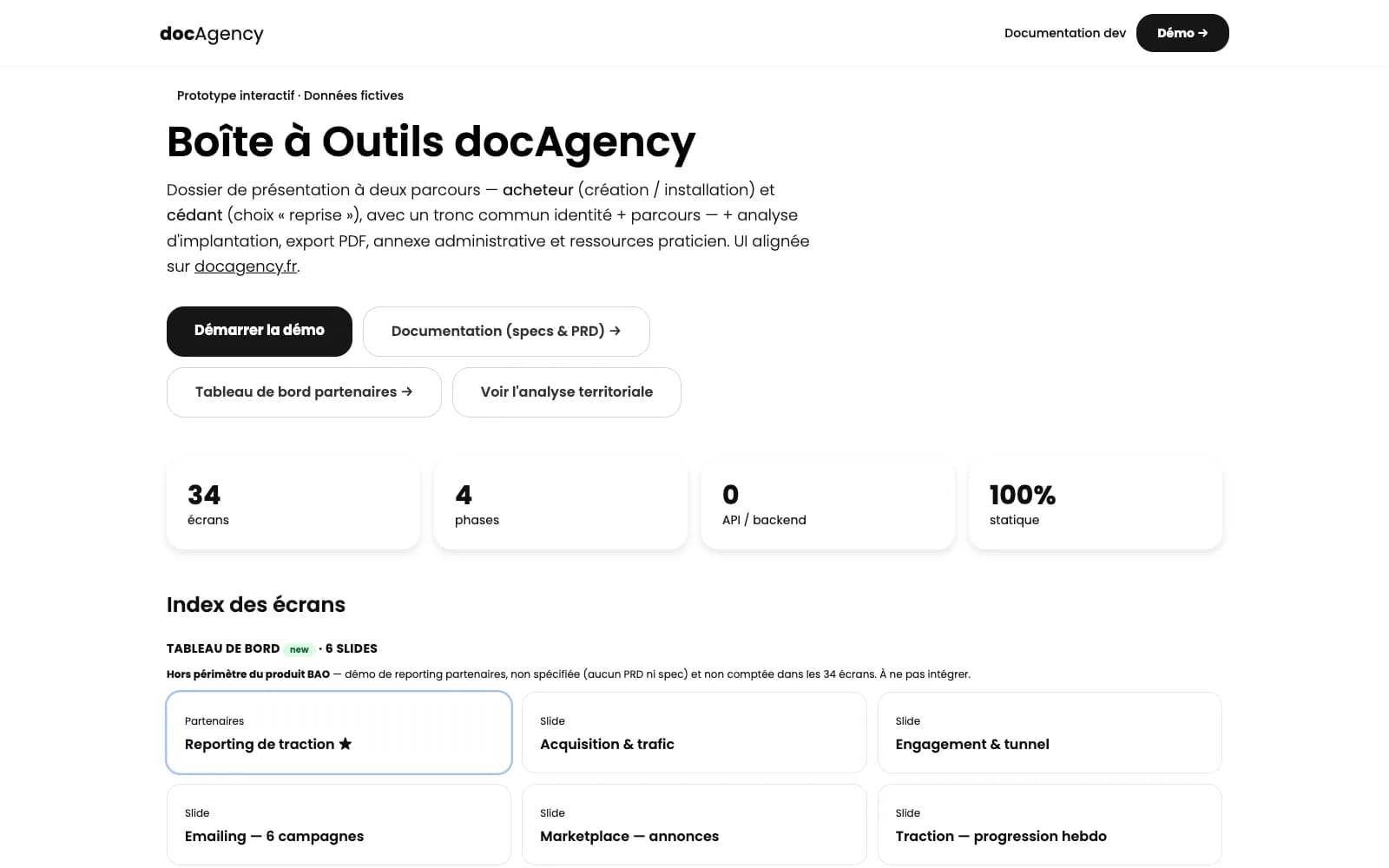
34 screens
BAO · 13 steps, 10 PRDs
SYS/PRODUCT
A prototype in days. A SaaS in weeks.
Three ways to turn an idea into a working product — clickable prototype, custom SaaS, landing pages — delivered in weeks because the PRDs, screens, and build run through agents, under the hand of an AI engineering studio.
SYS/LEVERS
From visual contract to product in production, depending on where you stand.
P-01
A clickable prototype that acts as a contract before you build.
34 screens
BAO · 13 steps, 10 PRDs
P-02
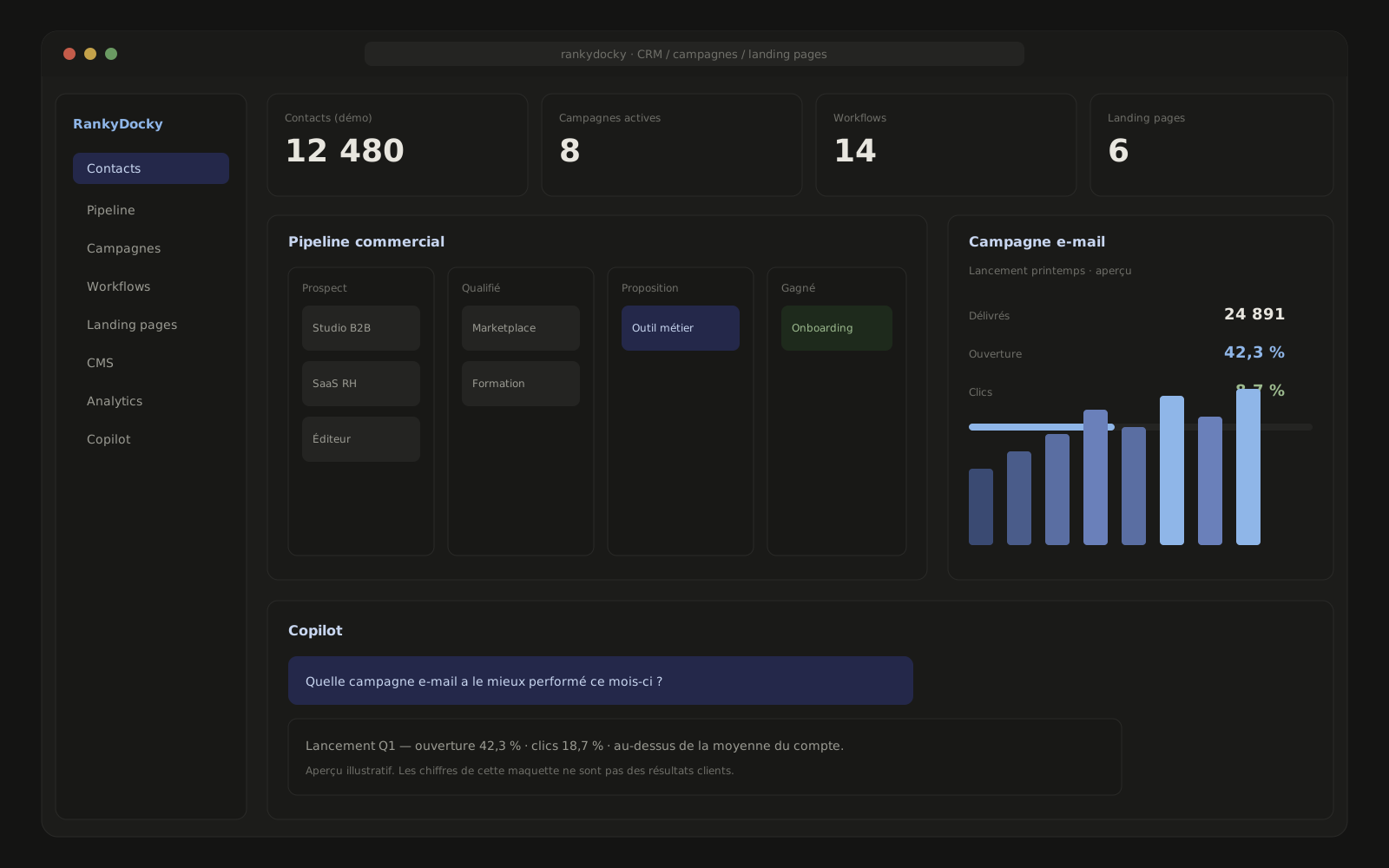
CRM, client portal, business tool built in Django, GraphQL, and React.
33 modules
RankyDocky · multi-tenant CRM
P-03
Pages designed to convert, tested and instrumented.
27 → 45%
SITL · completion rate
SYS/AI
The product moves fast because the spec is industrialized: PRDs are written and audited with agents, screens are generated from those PRDs, then fixed by hand. Nothing is improvised — everything follows a protocol.
Specify
PRDs and consistency audits written with agents, reviewed before a single line of code.
Generate
Screens are generated from the PRDs, then fixed by hand to hold the line.
Protocol
GSD: context → research → plan → execution → verification. Every phase is scoped.
SYS/GOAL
A second way into the same three levers, for anyone who knows what they want to achieve but not yet where to start.
You need to show the product before you build it — to an investor, a first client, your own team. The lever is Prototyping: one PRD per step, faithful HTML screens, a journey you can actually click through. On BAO (docAgency), that meant 13 steps, 34 screens, and 10 PRDs — from medical practice setup to bank file.
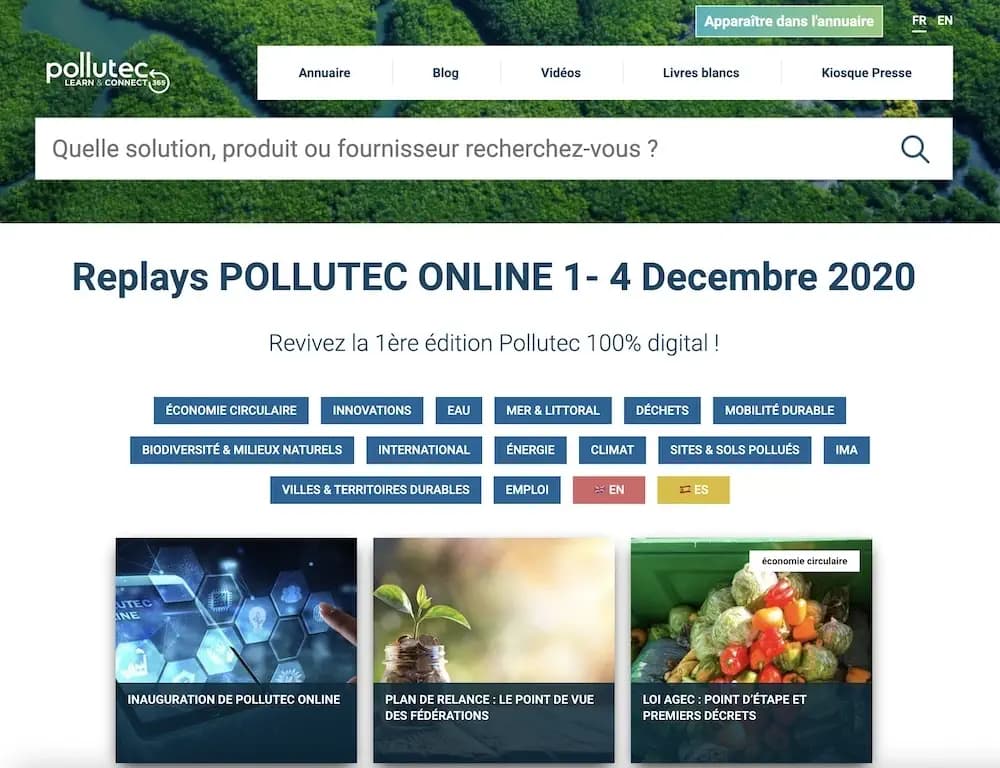
The process lives in spreadsheets, or the off-the-shelf editor only half fits. The lever is custom SaaS: multi-tenant data model, Django GraphQL API, React front end, roles, and deployment. RankyDocky — CRM, campaigns, landing pages, CMS, 33 modules — is built exactly this way; the SEO & GEO audit powers our analysis engagements. Pollutec Online served 60 webinars in 5 days to 6,300 registrants.
The product exists — it's the page that isn't converting. The lever is landing pages: one page, one goal, one number — conversion structure and copy, a calibrated form, tracking wired in, variants tested. On SITL, white-paper form completion went from 27% to 45%.
SYS/PROOF
| Deliverable | Quantity |
|---|---|
| BAO — HTML screens | 34 |
| BAO — journey steps | 13 |
| BAO — PRDs | 10 |
| Pollutec Online — webinars | 60 |
Axis: number of items delivered (different units, comparing production volume). 60 webinars in 5 days, 6,300 registrants against a target of 3,000.
Product · business tool
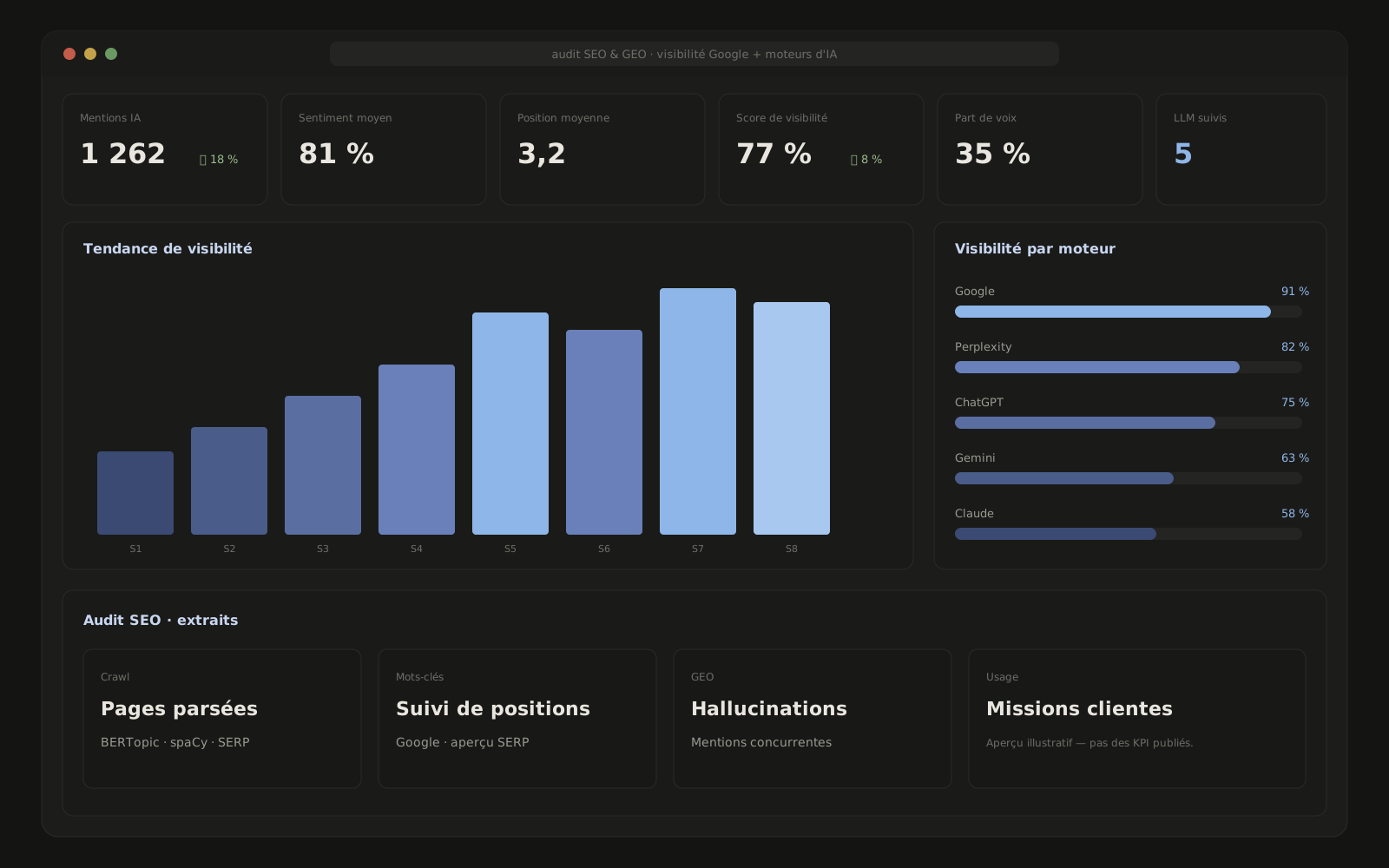
In production
Crawl, keywords, ChatGPT and Gemini visibility.
SYS/BUILD
From scoping to a live product, in four stages.
01
Scoping & PRD
Clarify the problem, the journeys, and write a PRD for each step.
A scoping workshop, one journey per persona, then a document per step: goal, data shown, possible actions, business rules, error states. These PRDs are written with agents and audited for consistency before the first mockup.
02
HTML mockup
Faithful screens in HTML and Tailwind, not static images.
Screens come out of the PRDs in a matter of hours, then get refined by hand. They open in a browser, resize, and can be shared via a link — and the same HTML gets reused at build time.
03
Clickable prototype / testing
A prototype you can actually use, with realistic data, put in front of real users.
We connect the screens together, fill them with plausible data, and watch a real user go through the journey. This is when the scope gets corrected — while correcting it still costs nothing.
04
Build
Moving to the product: custom SaaS or live landing pages.
PRDs, screens, and UX decisions go straight into development — data model, API, front end, roles, deployment — or into the launch of instrumented pages. Nothing gets redesigned a second time.
SYS/FAQ
The Digital Product Design family. The detail on prototyping, SaaS, or landing pages lives on each child page.
Three formats, one method. A clickable HTML prototype to validate journeys (BAO: 34 screens, 10 PRDs). A custom SaaS when the tool is the business (RankyDocky: 33 modules, multi-tenant CRM). Conversion landing pages, often inside an ads or CRO program. And an internal business tool: the SEO & GEO audit, in production for our engagements.
This isn't a “webdesign” offer in the sense of a good-looking showcase. It's product design: roles, states, measurement, code. Agents speed up production; the studio reviews before shipping.
If you're looking purely for a visual identity or a brochure, this isn't the right family. If you're looking for a tool or pages that convert, it is.
A business journey that's still fuzzy: prototyping first, so you don't code misunderstandings. A tool to put into production: SaaS, ideally after a prototype. A campaign or a conversion test: landing pages.
The three feed into each other. A prototype becomes a build. A landing page can rank and feed into CRO. We don't sell all three on day one; we pick the shortest path to something testable.
That's exactly what the 30-minute call is for: naming the format, not running through a catalog.
It depends on the format. A prototype journey: days to 2–3 weeks. A SaaS MVP: a few weeks after scoping (often a prototype). A landing page: days, sometimes a series in parallel. Agents compress production, not the business decision.
A “site” in the sense of a 10-page showcase isn't the main use case here. A conversion page, a tool, a prototype: yes. Redesigning an entire corporate site with no KPI: we'll point you elsewhere.
Timelines get set in writing. A date without a scope isn't a timeline — it's a wish.
In this studio, the same person connects journey, interface, and code. A dedicated designer makes sense for brand art direction, not for validating a business flow. Nor does a “tickets only” developer with no product sense: we don't artificially split what agents plus human review can hold together.
You can bring your own creative. We'll work with them. We don't impose a Shamalo aesthetic on your product.
Responsive design is native (we work directly in the browser). So is basic accessibility. A full RGAA audit is scoped separately if it's a business requirement.
Yes, whenever the URL is meant to be found or to convert. Heading structure, performance, tracking, intent: we don't “bolt on SEO” afterward. A paid landing page gets a tagging plan; a comparison page gets a search intent; a SaaS gets roles, not keywords stuffed into the header.
We don't promise an internal tool will rank on Google. We do promise a public page won't be flying blind. The Growth and Product families overlap exactly there.
Speed, mobile, page weight: that's as much CRO as SEO. We don't treat them as decoration.
Scoping → prototype or business wireframe → acceptance testing → build or landing page integration → instrumentation → launch → iteration. Nothing gets redesigned “for real” a second time: the prototype's HTML is the spec.
Agents produce screens and code in waves (the GSD protocol). Every wave gets a review. You validate journeys in the browser, not on slides.
Without a decision-maker on your side (someone who says yes/no on a flow), things stall. We flag that from the first call.
You do. Prototype, code, Webflow, repositories: no lock-in. A maintenance retainer gets scoped if the product stays live; it's not a trap to keep you locked in. The code is documented so an in-house team can take over.
Hosting, backups, updates: we name them explicitly. “It's in the cloud” isn't a plan.
Your data and secrets stay yours. See also the AI engineering FAQ on what does (or doesn't) get sent to a model.
Based on who'll maintain the deliverable, and what it needs to handle a year from now. Webflow for landing pages iterated on by marketing. Custom-built (Django / React) for a multi-role SaaS. No-code if it genuinely still fits — we don't force a rebuild out of stack snobbery.
The no-code ceiling (permissions, volumes, tenancy) is often spotted too late. We flag it early. The detail is on the SaaS page.
No pricing posted: the format gets scoped during the call. A number with no context helps no one.
SYS/NEXT
Describe the product or tool that needs scoping: we'll find the shortest path to a testable prototype. Written scope within 48h, no commitment.