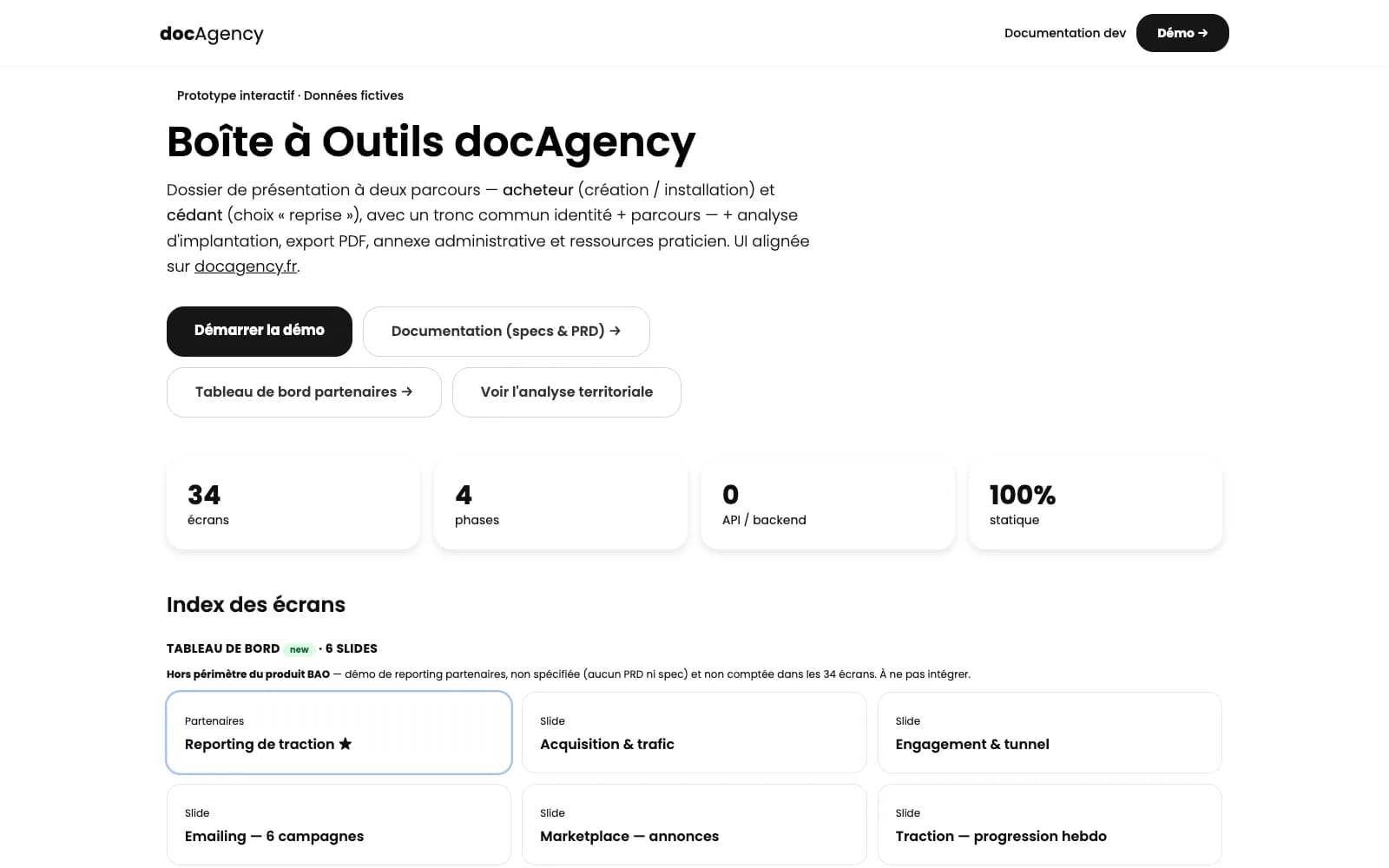
Product · prototype
BAO (docAgency)
34 screens
13 steps, 10 PRDs, from medical practice setup to bank file.
SYS/PROTO
The prototype is the contract.
A clickable prototype gets everyone aligned before a single line of code gets written. We start from a PRD for each step, generate faithful HTML screens, then make them interactive with realistic data.
Prototyping is part of our Digital Products expertise — prototyping, SaaS, and landing pages.
SYS/FOR
A clickable demo beats a deck: we make the idea tangible enough to convince an investor or a first client.
Before bringing in developers, we lock down the journeys and screens to avoid building the wrong tool.
A documented prototype to hand off to a client or push into production, instead of a static mockup.
SYS/SCOPE
Six deliverables. Expand a card to see exactly what's inside.
Scoping and user flows
The problem, the personas, and the journeys, defined before a single screen.
A journey map per persona, the list of screens to produce, and edge cases identified before any design work. On BAO, this scoping produced the 13 steps of the guided journey — from medical practice setup to bank file.
PRD per step
A written spec, broken down and audited — the prototype's source of truth.
One document per step: goal, data shown, possible actions, business rules, error states. Written with agents then audited for consistency — 10 PRDs on BAO. It's this document, not a screenshot, that acts as the contract.
Faithful HTML mockup (Tailwind)
Responsive HTML screens, close to the final product — not images.
Screens that open in a browser, resize, and can be shared with a simple link. 34 screens on BAO. The HTML gets carried into the build: nothing gets redesigned a second time.
Clickable prototype with realistic data
A journey you can actually click through, filled with credible data.
Screens are linked together and filled with plausible data, never placeholder lorem ipsum. We put the journey in front of a real user and watch where they hesitate — that's where the scope gets corrected, before any code.
Documented UX decisions
Every interface choice is logged, to arbitrate and hand off.
For every screen: the option chosen, the ones ruled out, and why. Six months later, nobody replays the same debate, and a new team member understands the product without a meeting.
Handoff to build (SaaS)
The prototype becomes the foundation for development, not a disposable deliverable.
PRDs, screens, and decisions go straight into development — data model, API, front end. It's the path into the custom SaaS lever.
SYS/AI
BAO: 10 PRDs written and audited with agents, 34 HTML screens generated from the PRDs then fixed by hand. This site's own mockups (four A–D architectures in a single day, then C2) follow the same protocol.
The spec lived in a single document nobody ever read in full, and the mockup was an image: pretty, static, impossible to click through. Every extra screen cost a day of design, so you made as few as possible — and you found the gaps in the journey during development, at the worst possible time.
Cost per screen
A screen drawn by hand, then redrawn every time someone changed their mind. The number of screens becomes a budget constraint, not a product choice.
Disposable
The mockup ended up in the trash once the build started: everything got redrawn in code, with all the drift that implies.
The spec is broken into short PRDs, one per step, written and audited for consistency with agents. HTML screens come out of these PRDs within hours, then get refined by hand. BAO: 10 PRDs, 13 steps, 34 screens — a volume that wouldn't have fit a traditional mockup budget.
Specify
PRDs and consistency audits are written with agents, reviewed before generation.
Generate
Screens come out of the PRDs within hours, then get fixed by hand to hold the line.
An agent quickly produces what you describe to it; it doesn't know if it's the right product. The problem to solve, the call between two journeys, testing in front of a real user, and refusing one screen too many all stay studio decisions. This site's four A–D architectures were prototyped in a single day — choosing C2, though, took a human review.
Decide
Choosing the journey, deciding between two interface options, owning what you won't build.
Test with users
Putting the prototype in front of users and accepting that the scope will change. No agent does this work for you.
SYS/BUILD
Four stages, from scoping to product.
SYS/PROOF
| Deliverable | Quantity |
|---|---|
| HTML screens | 34 |
| Journey steps | 13 |
| PRDs written | 10 |
Axis: number of items delivered. Guided journey in 13 steps, 34 HTML screens, 10 PRDs, bank-ready PDF export.
Product · prototype
34 screens
13 steps, 10 PRDs, from medical practice setup to bank file.
Living proof
Four architectures prototyped in a single day, C2 chosen as the winner, then this high-fidelity wireframe. The same protocol as for a client product.
SYS/TOOLS
SYS/FAQ
A mockup (Figma, Sketch, a PDF) is an image: you look at it. A prototype, here, gets used: clickable HTML screens, realistic data, a journey you can actually break. You're testing a product, not a screenshot.
This is deliberately closer to the build than to a moodboard. UX decisions (where the button goes, what a given role sees, what happens if the field is empty) already live in the HTML, not in a file comment.
If you already have mockups, we can turn them into a clickable prototype. If all you have is a business problem, we start from the PRD and the journeys — that's the BAO case: 34 screens, 10 PRDs.
A few days for a targeted journey (a funnel, a thin back-office). 2 to 3 weeks for a product in the range of 30 screens, like BAO. Agents speed up screen production; scoping and journey review remain the limiting factor.
This isn't a “showcase website.” A business prototype has empty states, errors, roles. The time goes there, not into an animated hero.
A shorter timeline is possible if the scope is cut ruthlessly. A longer one, if the business hasn't yet decided what the product is. The call is where we figure that out.
It becomes the foundation for the build, not a disposable draft. PRDs, screens, and UX decisions carry over into SaaS development (or a series of instrumented landing pages) without being redesigned “for real” a second time.
That's the whole point of HTML over an image: the developer (often the same studio, the SaaS lever) inherits a living spec. Fewer “oh, actually that flow never existed” moments.
If you build elsewhere, you leave with the prototype and the PRDs. They're yours. The studio doesn't lock the scoping into a proprietary format.
Not necessarily to scope and validate a journey: the studio designs and codes directly in HTML. A designer can step in afterward on art direction, identity, or a broader design system.
This isn't “freelance webdesign” in the sense of a visual overhaul. It's product UX: roles, states, clarity. If you're only looking for a beautiful showcase, this isn't the right lever — try landing pages, or a creative studio.
Responsive is native: we prototype journeys that hold up on mobile, not a desktop version to “adapt later.”
Scoping (problem, users, out of scope) → journeys and PRDs → clickable HTML screens → acceptance testing with the business → iterations. Agents produce a lot of screens; every critical journey is reviewed before being shown as “ready.”
We don't start by picking a color palette. We start with “who does what, in what order, what breaks.” Color comes after, or with your brand guidelines.
Acceptance testing happens in the browser, not on a slide call. It's the test before the build.
We put it in front of people: you, a real user, a business colleague. Dead clicks, dead ends, unclear labels surface immediately — that's the point. Better to break an HTML screen in week 2 than a SaaS in month 4.
It's not always a formal user test. Sometimes an acceptance workshop is enough. What matters is deciding on the prototype, not politely commenting on it.
Basic accessibility (headings, focus states, reasonable contrast): it's baked into the HTML. A full RGAA audit isn't the default deliverable; we can add it if it's a business requirement.
Yes: we prototype in the browser, so mobile isn't a phase 2. A business journey that only works on a 27-inch screen isn't validated.
That doesn't rule out specific views (a dense table still works better on desktop). We say so; we don't pretend a complex back-office is “perfect on a thumb.”
Basic performance (page weight, no excess decorative images) is already a step toward eco-design. It's not a label; it's just lean HTML.
Yes. Figma, an ugly-but-used internal tool, a site that already “feels a bit like a product”: we start from there. A prototype doesn't need a blank page. It needs a problem, and someone who can sign off.
Sometimes what exists already is the real product, and the prototype extracts a clean journey before a rebuild. Sometimes it's the opposite: nothing exists yet, and we spec it out in screens.
Bring what you have to the call. We'll tell you whether it speeds things up or gets in the way.
SYS/NEXT
Describe the product that needs scoping: we'll identify the shortest path to a testable prototype. Written scope within 48h, no commitment.
The other levers of Digital Product Design